

Short answer: use browser access for a quick check from any machine, with nothing to install. Install RDP for daily work — it adds sound, printing to your own printer, a second monitor, and proper file and USB access.
Applies to: every Infosaic Virtual Desktop and VPS · Windows, Mac, Chromebook, Linux, phones and tablets
There are two ways into your cloud desktop, and new customers reasonably assume one of them must be better. They are not ranked — they are built for different moments, and most people end up using both.
Here is how to decide in about thirty seconds.
The two options side by side
| Browser access | RDP | |
|---|---|---|
| To get started | Nothing to install — click a link | Install a free app once |
| Copy and paste | Via the clipboard box | Ordinary Ctrl+C and Ctrl+V |
| Moving files | Upload and download panel | Your own folders and drives appear inside Windows |
| Sound | No | Yes |
| Printing to your own printer | No | Yes |
| Second monitor | No | Yes |
| USB drives | No | Yes |
| On a locked-down computer | Usually works | May be blocked |
| Best for | Quick checks, borrowed machines, travelling | Daily work |
When browser access is the right choice
Browser access opens your cloud desktop straight in a web browser. There is nothing to install and nothing to configure, which makes it the right tool whenever you are not at your own machine.
Reach for it when you are on a borrowed or work-managed computer where you cannot install software, when you are in a hotel or client office, when you just need to check one thing, or when you are on a Chromebook or tablet and want to be working in seconds.
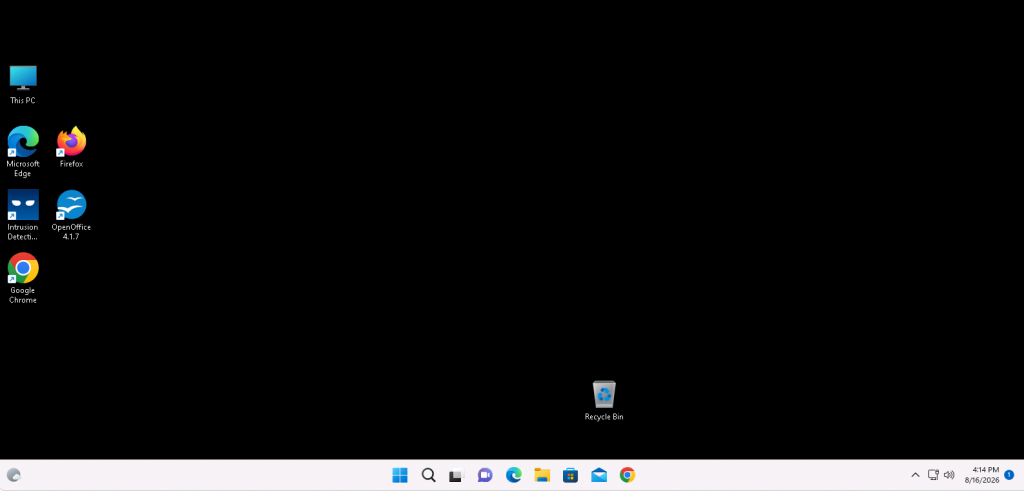
Browser access: a full Windows desktop inside a browser tab, with nothing installed.
One thing to know before you start
Browser access hides its controls behind a keyboard shortcut. Press Ctrl + Alt + Shift inside the session for copy and paste, file transfer and the on-screen keyboard. Without it the session looks far less capable than it is.
When RDP is worth installing
RDP — Remote Desktop — means installing a small free app from Microsoft on whatever device you use most. It takes a couple of minutes once, and after that your cloud desktop behaves far more like a computer sitting under your desk.
If you work in your cloud desktop most days, install it. The difference is not subtle.
What RDP adds
- Sound. Audio from the cloud desktop plays through your own speakers or headphones, which also makes video calls possible.
- Printing to your own printer. The printer next to you appears inside Windows.
- A second monitor. Spread the cloud desktop across both screens.
- Real file access. Your own folders and USB drives show up inside Windows, so you can drag files around instead of uploading them.
- Ordinary copy and paste, in both directions, with images and files as well as text.
- Better performance on a poor connection, because the client can be tuned for low bandwidth.
Can I use both?
Yes, and most customers do. They are two doors into the same desktop, not two different desktops. Whatever you leave open stays open, so you can work over RDP at your desk in the morning and pick up the same session in a browser from a phone that afternoon.
There is no setting to change and nothing to switch. Just connect whichever way suits where you are.
How to set each one up, on every platform

Browser access needs no setup at all. Click the direct link in your Basic Account Information email and the desktop opens in the tab — there is a walkthrough in how to open your cloud desktop in a web browser. Bookmark that link and it becomes your permanent one-click route.
RDP takes about three minutes, once. You need the server hostname ending .mycloud.computer, your user name and your password — all in the same email — then the guide for whatever you are sitting at:
- Windows — Remote Desktop Connection is already installed.
- Mac — the free Windows App from the Mac App Store.
- iPhone and iPad — free app from the App Store.
- Android — free app from Google Play.
- Chromebook — the Android app, or the browser.
- Linux — Remmina or FreeRDP.
Tick the boxes for printers, drives and sound before you connect — they are read at the moment the session starts, so setting them afterwards does nothing. Then save the connection and you never do it again.
There is a checklist of what you need to connect by RDP, and if it will not connect, how to fix it.
Questions and answers
Is RDP faster than browser access?
Usually yes, especially on a slow or unstable connection, because the Remote Desktop client can be tuned to send less detail. On a good connection the difference is small for ordinary work.
Do I need to choose one when I sign up?
No. Both are available on every account from the moment it is created, and switching between them needs no setting changes.
Why can I not hear sound in the browser?
Audio is not carried over browser access. If you need sound — for video calls, media or notifications — connect with RDP instead.
Can I print from browser access?
Not to a printer attached to your own computer. You can print to PDF inside the cloud desktop and download the file, but direct printing needs RDP.
My workplace blocks Remote Desktop. What now?
Use browser access. It runs over ordinary web traffic, so it usually works on networks that block the port RDP uses. This is one of the main reasons both options exist.
Which should I use on a Chromebook?
Either. Browser access works in Chrome with nothing installed. Chromebooks that support Google Play can also install Microsoft’s Windows App and connect by RDP for sound and better file access.
Will my work be lost if I switch between them?
No. Both connect to the same Windows desktop, which keeps running whether or not anyone is connected. Applications and open documents stay exactly as you left them.
Related articles
- The hidden menu: press Ctrl+Alt+Shift in your browser session
- How to copy and paste between your computer and your cloud desktop
- Connect by RDP on Windows, Mac, iPhone, Android and Chromebook
Not sure which suits you?
Open a support request from your control panel — that is the fastest route, because it reaches the team who can already see your account and your plan. You can also email [email protected]. Tell us what you mainly do in your cloud desktop and we will point you at the right one.