

Short answer: browser access cannot do sound, printing to your own printer, a second monitor or USB drives. None of that is a fault on your account — those four things need an RDP connection, which takes a couple of minutes to set up once.
Applies to: browser access · Windows, Mac, Chromebook, Linux, phones and tablets
Opening your cloud desktop in a browser is the fastest way in. Nothing to install, works on a borrowed machine, and you are working within seconds. For a lot of what people do, it is all you need.
But it does have limits, and it is much better to know them on day one than to discover them halfway through something urgent. Here is the honest list.
What browser access does well
A full Windows desktop, in a tab, on any device with a modern browser. You can run your applications, work on documents, move text and files across, type in other languages, and pick up exactly where you left off.
It is the right tool on a work-managed laptop where you cannot install anything, in a hotel or client office, on a Chromebook or tablet, or any time you just need to check one thing quickly.
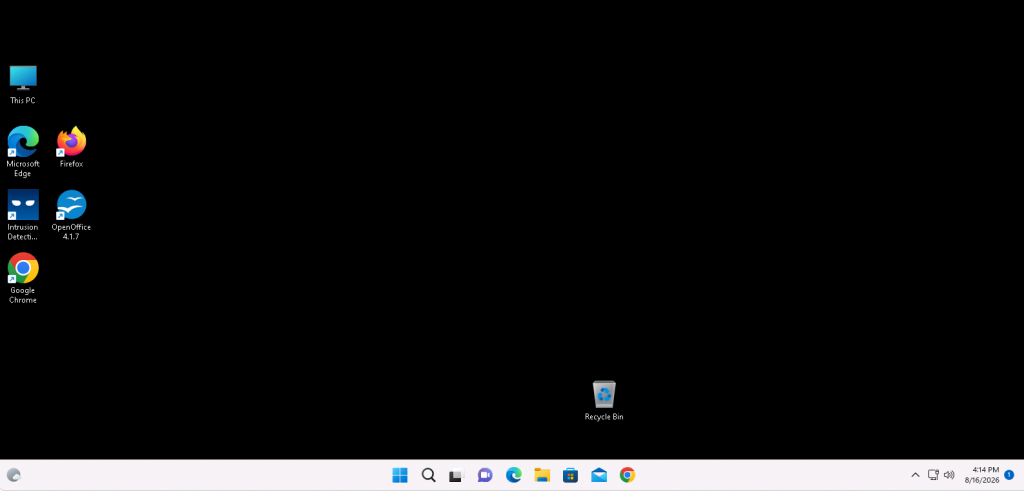
Browser access gives you the whole desktop — just not everything attached to your own computer.
The four things it cannot do
1. Sound
Audio from the cloud desktop is not carried to your speakers. Music, notification sounds and video calls will all be silent. If you need to join a meeting from your cloud desktop, connect with RDP.
2. Printing to your own printer
The printer sitting next to you is invisible to a browser session. You can still print to PDF inside the cloud desktop and download the file, but sending a job straight to your own printer needs RDP.
3. A second monitor
A browser session lives in one window on one screen. You can make that window full screen, but you cannot spread the cloud desktop across two monitors. That is an RDP feature.
4. USB drives and your own folders
A USB stick plugged into your laptop does not appear inside the cloud desktop, and neither do your local folders. You can still move files with the upload and download panel, but for drag-and-drop access to your own drives you want RDP.
One more thing worth knowing
Some keyboard shortcuts never reach Windows, because your browser grabs them first — Ctrl+Alt+Del being the obvious one. That one has a workaround: the on-screen keyboard in the control menu sends them properly.
What to do instead
Install the free Remote Desktop app on whichever device you use most. It takes a couple of minutes once, and it turns all four of those limits into non-issues: sound plays through your speakers, your printer appears inside Windows, you can use both monitors, and your own drives and USB sticks show up in File Explorer.
Most customers end up doing both — RDP at their own desk, browser access everywhere else. They connect to the same desktop, so nothing is lost switching between them.
Questions and answers
Why is there no sound in my browser session?
Audio is not carried over browser access at all. This is a limitation of the connection type, not a setting on your account. Connect with RDP and enable remote audio to hear sound from your cloud desktop.
Can I print from a browser session?
Not directly to a printer attached to your computer. Print to PDF inside the cloud desktop and download the file, then print it locally — or connect with RDP, where your own printer appears in the Windows printer list.
Can I use two monitors with browser access?
No. A browser session occupies a single window on a single screen. Multi-monitor support is an RDP feature.
How do I get files across if my USB drive does not show up?
Use the file transfer panel in the Ctrl+Alt+Shift control menu, or drag a file onto the session window. Uploaded files land on a drive that appears inside Windows alongside your normal drives.
Is browser access less secure than RDP?
No. Both connections are encrypted. Browser access is often the safer choice on a machine you do not control, because it leaves nothing installed behind you.
Will I lose my work if I switch to RDP?
No. Both connect to the same Windows desktop, which keeps running whether or not anyone is connected. Open applications and documents stay exactly as you left them.
My workplace blocks Remote Desktop. Am I stuck with these limits?
On that network, yes — but browser access usually still works, which is precisely why both options exist. Many customers use browser access at work and RDP at home.
Related articles
- Browser access or RDP: which should you use?
- The hidden menu: press Ctrl+Alt+Shift in your browser session
- How to copy and paste between your computer and your cloud desktop
Need one of these to work?
Open a support request from your control panel — that is the fastest route, because it reaches the team who can already see your account. You can also email [email protected]. Tell us what you are trying to do and we will point you at the quickest way to get there.